IPTV on Apple TV: set up in 3 minutes
Apple TV runs IPTV smoothly with the right app — TiviMate isn’t one of them (it’s Android-only). Here’s the correct player pick for tvOS, exact Xtream Codes setup steps, and fixes for the issues that actually happen on Apple TV.
Reviewed by iBostreaming Test & Editorial · real-device testing method & disclosure
Which Apple TV models this covers
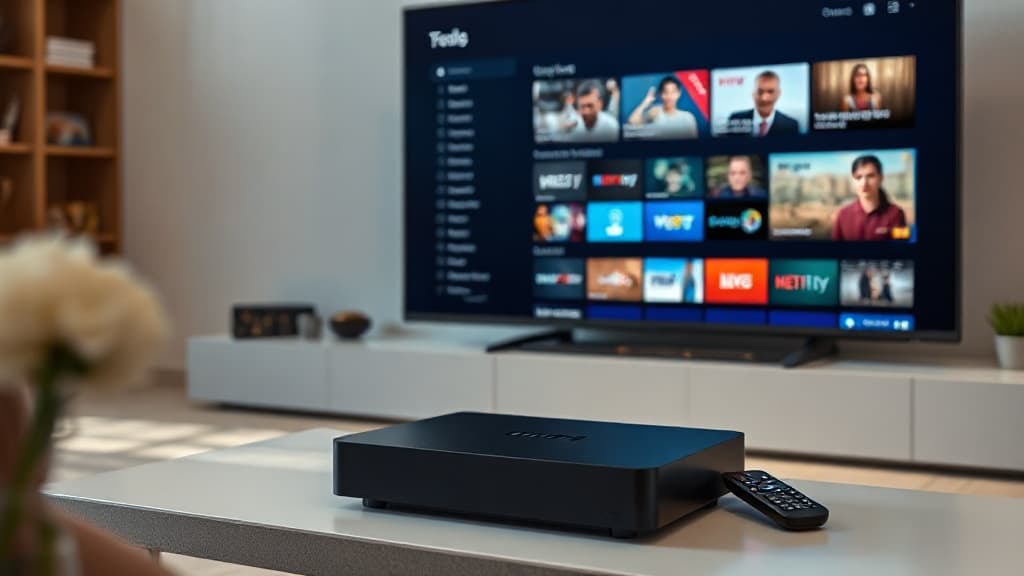
The setup below works identically across the current and recent Apple TV lineup:
- Apple TV 4K (2022, 3rd generation)
- Apple TV 4K (2021, 2nd generation)
- Apple TV HD
- tvOS 15 and later
Install in 3 steps
About three minutes. You’ll need the Xtream credentials from your subscription email — with iBostreaming they arrive within seconds of signing up.
Install IPTV Smarters Pro or iBo Player Pro
Open the App Store on your Apple TV and search for either app — both are free, official App Store listings. IPTV Smarters Pro is the more widely used of the two on tvOS.
Add playlist → Xtream Codes API
Open the app → Login with Xtream Codes API. Enter the username, password and server URL from your subscription email. Xtream mode sorts channels by category and loads the full 7-day guide.
Browse with the Siri Remote
Your full channel lineup and guide load in seconds. Swipe the Siri Remote trackpad to browse categories; click to select — no extra remote pairing needed.
Not sure what “Xtream Codes” or “EPG” actually mean? Check the glossary →
Why not TiviMate?
TiviMate does not have a tvOS version and cannot be installed on Apple TV — it only runs on Android, Fire TV and Android TV. If you specifically want TiviMate's guide and recording features, those need an Android-based device instead.
Login, buffering & guide fixes
The issues that come up most on Apple TV specifically.
App not appearing in App Store search
Confirm your Apple TV's App Store region is set to a country where the app is listed (Settings → General → Region). Both apps are available in most major App Store regions.
Buffering during live sport
This is almost always the streaming server under load, not the Apple TV. Switch to a different channel — if that one is stable, the issue was that specific server, not your device or network.
Xtream login fails or times out
Double-check the server URL was typed exactly as emailed (including "http://" if present) — a missing or extra character is the most common cause. Re-copy the credentials rather than retyping them on the Siri Remote's on-screen keyboard.
Guide (EPG) is empty or blank
The guide can take up to a minute to populate on first load. If it stays empty, remove the playlist and re-add it via Xtream Codes rather than the plain M3U option — Xtream mode is what loads the guide data.
IPTV on Apple TV: your questions, answered
The questions we’re asked most about IPTV on tvOS.
What is the best IPTV player for Apple TV?
IPTV Smarters Pro and iBo Player Pro are the two realistic options — both free, official App Store apps with Xtream Codes support. IPTV Smarters Pro is the more widely used; iBo Player Pro has a slightly simpler layout. TiviMate, which many Firestick guides recommend, does not run on Apple TV at all.
Does TiviMate work on Apple TV?
No. TiviMate is Android-only — it runs on Android phones, Android TV and Fire TV/Firestick, but there is no tvOS version and none is planned. Apple TV users should use IPTV Smarters Pro or iBo Player Pro instead, which cover the same core functionality.
How do I add an IPTV subscription to Apple TV?
Open IPTV Smarters Pro or iBo Player Pro on your Apple TV, choose "Login with Xtream Codes API", and enter the username, password and server URL emailed to you when you subscribed. The channel list and guide load automatically.
Can I use the same IPTV subscription on Apple TV and iPhone?
Yes — the same login works in IPTV Smarters Pro or iBo Player Pro on both iPhone and Apple TV, up to your plan's number of screens. A 2-screen plan lets both stream at once with the same credentials.
Why is the programme guide (EPG) not loading on Apple TV?
This almost always means the playlist was added as a plain M3U link instead of via Xtream Codes. Remove it and re-add using "Login with Xtream Codes API" — that mode is what pulls in the guide data, not the M3U option.
Your Apple TV is ready — it just needs channels.
40,000+ channels, all the sport in 4K, 200,000+ movies. Xtream credentials by email, instant activation, and a 14-day money-back guarantee.