The best IPTV player apps in 2026 — and the subscription they all need
TiviMate, IPTV Smarters Pro and iBo Player Pro are the three best IPTV players — all free, all excellent. The right one depends on your device. Here’s how they compare, which to pick, and the one thing none of them work without.
Reviewed by iBostreaming Test & Editorial · real-device testing method & disclosure
What makes a good IPTV player
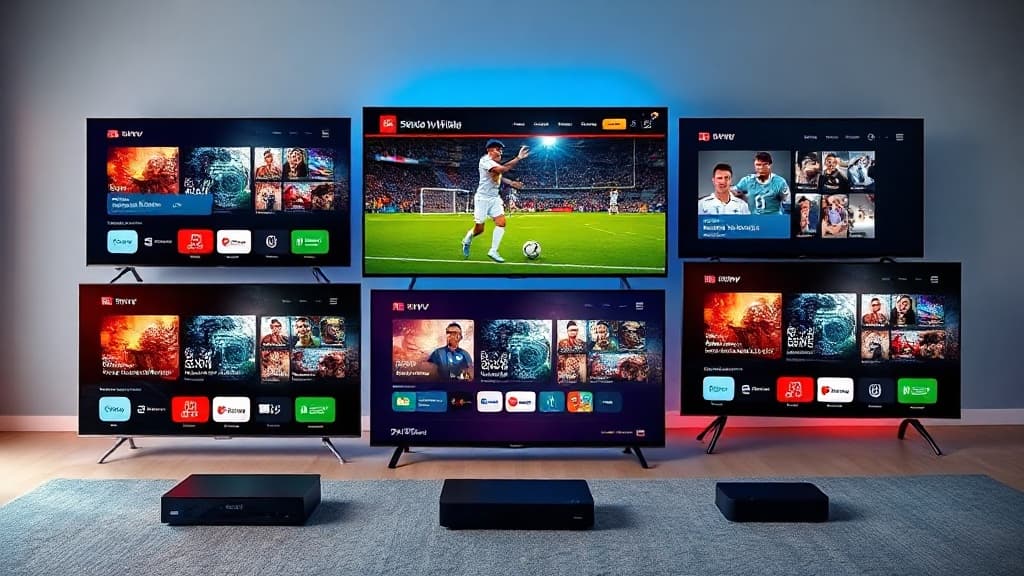
Every IPTV player does the same core job — it plays the channels from your subscription. What separates the best ones is the TV guide (EPG), how fast it loads on a TV remote, extras like recording and multi-view, and which devices it runs on. Crucially, though, the player is only ever half the story: a beautiful app on top of a weak subscription still buffers and freezes.
So pick a player you like — then feed it a subscription that actually holds up during the big matches. That’s where IPTV quality is really decided.
The best IPTV players compared
TiviMate
Best for: Firestick & Android TV power users
The best-looking TV guide of any player, plus recording and catch-up with Premium.
Platforms: Android, Fire TV, Android TV
Android-only — not on iPhone/Apple TV.
Read the TiviMate guide →IPTV Smarters Pro
Best for: One app across every device
Runs on almost everything and is quick to set up with Xtream Codes.
Platforms: Android, iOS, Fire TV, Smart TV
The all-rounder — same app on phone, tablet and TV.
Read the IPTV Smarters Pro guide →iBo Player Pro
Best for: Smart TVs & first-time setup
Clean, beginner-friendly layout that loads fast on Smart TVs.
Platforms: Android, iOS, Fire TV, Smart TV
The simplest to get watching in minutes.
Read the iBo Player Pro guide →Which player to pick for your device
| Your device | Best pick |
|---|---|
| Amazon Firestick / Fire TV | TiviMate (best guide) or IPTV Smarters Pro (simplest). Full Firestick guide → |
| Android phone, tablet or box | TiviMate for power features, or iBo Player Pro / IPTV Smarters Pro for simplicity. |
| iPhone, iPad or Apple TV | IPTV Smarters Pro or iBo Player Pro — TiviMate isn’t available on iOS/Apple TV. Full Apple TV guide → |
| Samsung / LG Smart TV | iBo Player Pro or IPTV Smarters Pro from the TV’s app store. |
| You want recording / catch-up | TiviMate Premium — the only one of the three with a built-in recorder. |
The one thing every player needs
Whichever player you choose, it’s an empty shell until you load a subscription. iBostreaming is that subscription: you get Xtream credentials by email and paste them into TiviMate, IPTV Smarters Pro or iBo Player Pro — and the app fills with 40,000+ channels, sport in 4K and 200,000+ movies, the same login working across every device.
Instant activation, 24/7 support, and a 14-day money-back guarantee — so you can pick your favourite player and test the channels risk-free.
Best IPTV player: your questions, answered
The questions we’re asked most when choosing an IPTV player.
What is the best IPTV player?
It depends on your device. TiviMate has the best TV guide and recording but is Android-only (Firestick, Fire TV, Android TV). IPTV Smarters Pro and iBo Player Pro run on almost everything — including iPhone, iPad and Apple TV — and are the simplest to set up. All three are free apps; what matters more is the subscription you load into them.
What is the best IPTV player for Firestick?
On Amazon Firestick and Fire TV, TiviMate is the favourite for its polished guide and recording (with Premium). If you want the simplest possible setup, IPTV Smarters Pro is excellent too. Both install from the Amazon Appstore and work perfectly with an iBostreaming subscription.
What is the best IPTV player for iPhone or Apple TV?
TiviMate is Android-only, so on iPhone, iPad and Apple TV use IPTV Smarters Pro or iBo Player Pro. Both play the same iBostreaming subscription with the same login you use on your other devices.
Are IPTV player apps free?
Yes — TiviMate, IPTV Smarters Pro and iBo Player Pro are all free to download (TiviMate has an optional Premium upgrade for recording/multi-view). None of them include channels, though. To watch anything you load a separate IPTV subscription such as iBostreaming.
Do I need a subscription for these IPTV players?
Yes. Every IPTV player is just an empty shell until you add a subscription — the credentials (username, password and server URL) that give it channels. iBostreaming provides those by email: 40,000+ channels, 4K sport and 200,000+ movies, with a 14-day money-back guarantee.
Which IPTV player is easiest to set up?
IPTV Smarters Pro and iBo Player Pro are the quickest — install, choose “Xtream Codes”, paste your credentials, done in about three minutes. TiviMate takes a moment longer but rewards you with the best guide. Any of them is watching-ready within minutes of subscribing to iBostreaming.
Pick your player — we’ll bring the channels.
40,000+ channels, all the sport in 4K, 200,000+ movies — in whichever IPTV player you like best. Xtream credentials by email, instant activation, 14-day money-back guarantee.
The player guides