
IPTV Guides
IPTV Reddit: What Real Users Actually Recommend in 2026
IPTV Reddit threads are full of real experiences and paid plugs in equal measure. Here is how to tell them apart before your money leaves your account.
September 3, 2026
Practical IPTV help from the iBostreaming team, 13 guides covering device setup, buffering fixes, hardware choices and the legal questions everyone asks. No filler, no invented channel counts, just the steps that resolve the problem.
This is the iBostreaming IPTV blog: the reference section of the site, kept separate from the sales pages on purpose. Everything here answers a question someone asked support, which is why the coverage looks the way it does, heavy on setup and troubleshooting, light on marketing.
The guides are grouped into five clusters below. If something is broken right now, go straight to troubleshooting. If you are still deciding what to buy, the reviews cluster compares services and hardware. If you have just subscribed and want to get watching, start with the setup guides for your device.
Most IPTV problems are setup problems. The service works, the subscription is active, but the player is misconfigured, the device is blocking an install, or the playlist was pasted into the wrong field. These guides walk through the install on the hardware people actually use, with the exact menu paths rather than vague instructions.
Start with the guide for your device. If you have not chosen a player yet, the apps comparison covers what each one supports, because the app matters more than most people expect, it decides your codec support, how the channel guide behaves, and whether catch-up works at all. For a walkthrough covering every supported device in one place, the iBostreaming installation tutorial is the short version.
Buffering is the complaint that ends subscriptions, and it is almost never a single cause. It is the local network, the device decoder, the player buffer setting, or congestion somewhere between you and the server. Changing provider without diagnosing the cause usually reproduces the same fault a week later.
The approach in these guides is to isolate rather than guess: confirm whether the fault follows the channel, the device or the network, then fix the layer that is actually failing. The Android 14 guide is separate because that update introduced device-level faults which look exactly like a bad IPTV stream but are not.
Choosing an IPTV service is mostly risk management. Anyone can advertise a huge channel count; far fewer can hold a stable stream through a Saturday-night football fixture when their servers are at peak load. Our guide to choosing an IPTV service provider focuses on what is verifiable before you pay and what only shows up afterwards.
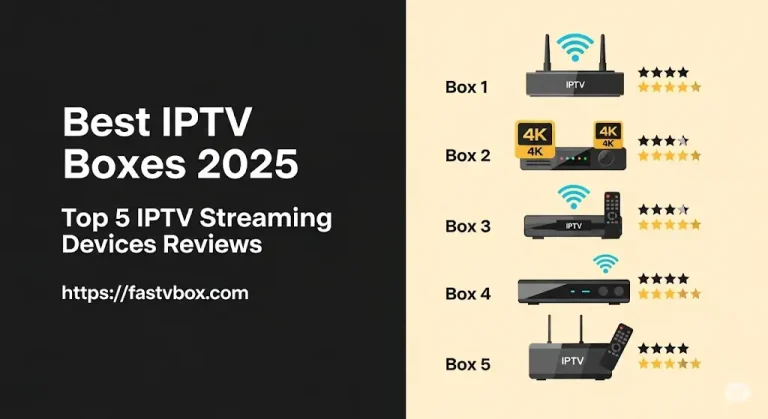
The hardware guides matter for the same reason. A large share of “the service is bad” reports trace back to an underpowered box that can’t decode the stream it is being sent. If you are buying a device and a subscription at the same time, read the boxes guide first.
IPTV is a delivery method, not a legal category. Television delivered over the internet is the same technology your national broadcaster and every major streaming platform already use, the standardised definition of IPTV covers licensed and unlicensed services alike. What differs is whether the content behind it is licensed.
That distinction is where the confusion lives, and it varies by country. The guide below explains how licensing works, what falls on the provider versus the viewer, and why a blanket yes-or-no answer to “is IPTV legal” is always wrong.
Two practical extras. The converter turns an M3U playlist link into Xtream Codes credentials, which most modern players prefer, and reports whether a line is live and how many simultaneous connections it permits, useful for diagnosing a “not working” subscription in seconds.
The live event guide exists because pay-per-view nights are when setups fail. Everything is fine until forty million people load the same feed at once. Preparing the night before is the difference between watching the walkouts and troubleshooting through them.
Every setup guide describes the apps and devices iBostreaming actually supports, Smart TV, Firestick, Apple TV, Android, MAG, iOS and PC. If a route doesn’t work on current firmware, the guide says so instead of repeating instructions copied from an older article.
Each article carries a published and a last-updated date, both shown on the cards above. Platform updates break IPTV setups regularly, the Android 14 guide exists precisely because one did, so guides are revised rather than left to rot.
You will not find fabricated channel totals, made-up test labs or star ratings nobody gave. Where a figure appears, such as the bandwidth guidance in the FAQ, it is a working range and is labelled as one. Claims we can’t support are left out.
Something inaccurate, or a device we have not covered? Tell us through the contact page and we will correct or add it. Support runs 24/7, and corrections coming from customers are the fastest way these guides improve.
Setup guides tend to assume you already know this vocabulary. If a support reply or a player menu has used a word you did not recognise, it is almost certainly one of these. The distinction between an M3U link and Xtream Codes credentials is the one that causes the most confusion, and it is worth understanding before you set anything up.
These are industry-wide terms rather than anything specific to this service, the same vocabulary appears across over-the-top streaming platforms generally, which is why a player bought elsewhere still speaks the same language.
The questions support answers most often. Each one links through to the guide that covers it properly.
IPTV delivers television over an internet connection instead of a satellite dish or cable line. Your player requests a stream, the server sends it, and the video decodes on your device. Because it travels over standard internet infrastructure, it works on almost any connected screen and doesn’t need dedicated hardware in the wall.
No. iBostreaming works on Smart TVs, Amazon Firestick, Apple TV, Android boxes and phones, MAG boxes, iOS and PC. What matters is that the device can decode the stream smoothly, an underpowered box is the most common cause of stutter that gets blamed on the service. The boxes guide covers which hardware handles 4K comfortably.
Usually the local network or the device, not the stream. Wi-Fi congestion, a weak signal to the TV, a player buffer set too low, or a device that can’t decode the codec being sent will all produce identical symptoms. Work through the causes in order, the troubleshooting guide sets out how to tell them apart in a few minutes.
As a working guide, around 10 Mbps is enough for reliable HD and roughly 25 Mbps for 4K on a single screen. Multiply that by the number of screens streaming at once. Consistency matters more than the headline figure: a stable 30 Mbps line outperforms a 200 Mbps connection that drops under load.
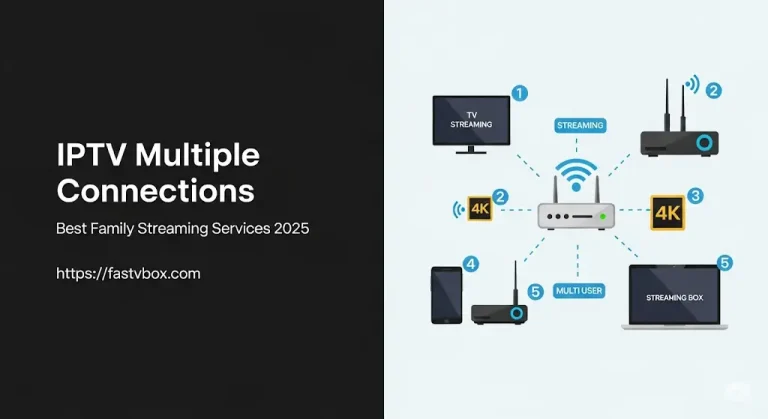
That depends on the plan you choose, iBostreaming sells 1, 2, 3 and 4 screen options. Each simultaneous stream needs its own connection, so a household watching in three rooms at once needs a three-screen plan. Exceeding the limit doesn’t usually add a charge; it simply refuses the extra stream.
iBostreaming doesn’t run a free trial. Instead every subscription carries a 14-day money-back guarantee: if the service isn’t right after you have given support a chance to resolve the issue, you can request a refund within 14 days under the refund policy. That gives you a real week on the actual service rather than a restricted trial line.
The player decides your codec support, how the channel guide behaves and whether catch-up works, so it is worth more thought than it usually gets. There is no single best answer across devices, the apps guide compares the main options for Android and iOS, and the setup guides name the player that works best on each specific device.
The technology is legal everywhere; the licensing behind the content is what varies by country, and the responsibility usually sits with the provider rather than the viewer. Because the detail differs between jurisdictions, the legality guide explains how to assess a service rather than offering a single global answer.
Individual channels can drop temporarily when a source feed changes, and that is usually corrected server-side without you doing anything. If a channel you rely on stays down, report it through the contact page rather than waiting, support runs 24/7, and knowing exactly which channel is affected is what lets it be chased at the source.
Yes. The service applies no regional blocks, so the same login works wherever you have a usable internet connection. The real limits are bandwidth and your simultaneous-connection count: streaming abroad on hotel Wi-Fi consumes one of your screens exactly as it would at home, and a weak connection shows up as buffering rather than as a block.
Pick the number of screens your household needs, pay once, and your login arrives straight after checkout. No contract, no auto-renewal surprises, and a 14-day money-back guarantee if it isn’t right for you.